

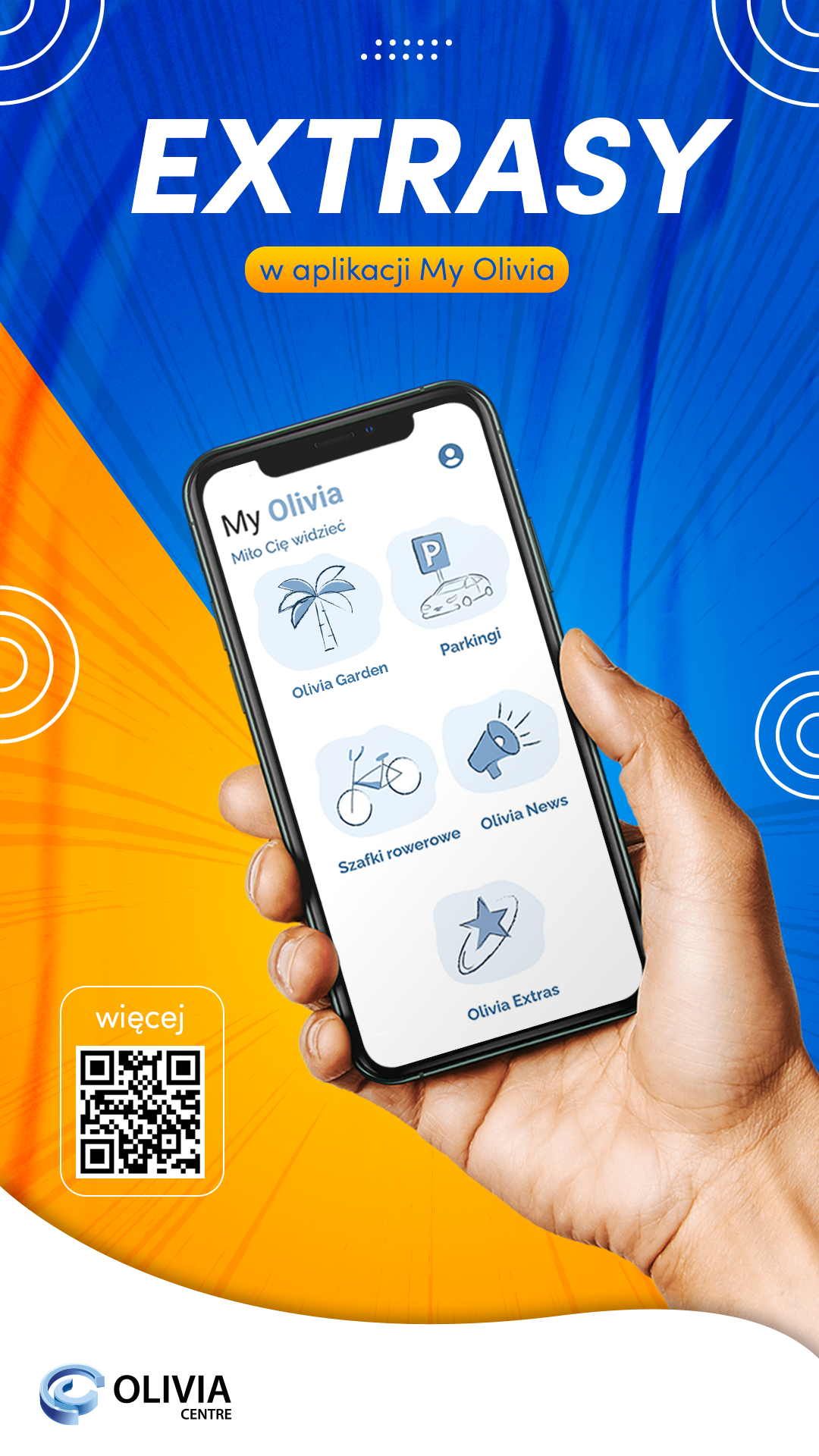
Of course, we can do a lot more with the My Olivia app. We won’t go into too much detail here. Przypomnimy dziś o EXtrasach. Warto tu zaglądać, by wiedzieć, z jakich zniżek możemy aktualnie skorzystać.
Olivia’s extras in My Olivia
What is it? Special offers, promotions, discounts that can only be used by employees of Olivia companies. To access the Extras, you must have a confirmed Resident Status. Find out how to do it below and keep in mind! We will be developing the Extras option, so it is worth checking here.
We also invite our Service Residents, who have attractive discounts and promotions, to apply to us, we will place them in the application.
Resident status step by step
- Download the My Olivia app from the App Store or Google Play.
- Register in the application using your business address (an address in the domain of a company that is located in Olivia).

When registering, use your business address, which is an address in the domain of the company you work for. This is very important, because when you provide your business address during registration, you will be granted the status of Resident automatically as soon as you click on the activation link sent to you to the e-mail address provided during the registration process.
- If you do not see the activation email in your inbox, first check your SPAM. It happens that this type of correspondence (registration confirmations, orders, purchases) falls into this folder.
- Search for the activation email by the sender “My Olivia → app@oliviacentre.com”, and if you still don’t have it, write to us on aplikacja@oliviacentre.com.
- You can also use the contact form available in the application → the “Contact us” option in your MyOlivia panel.
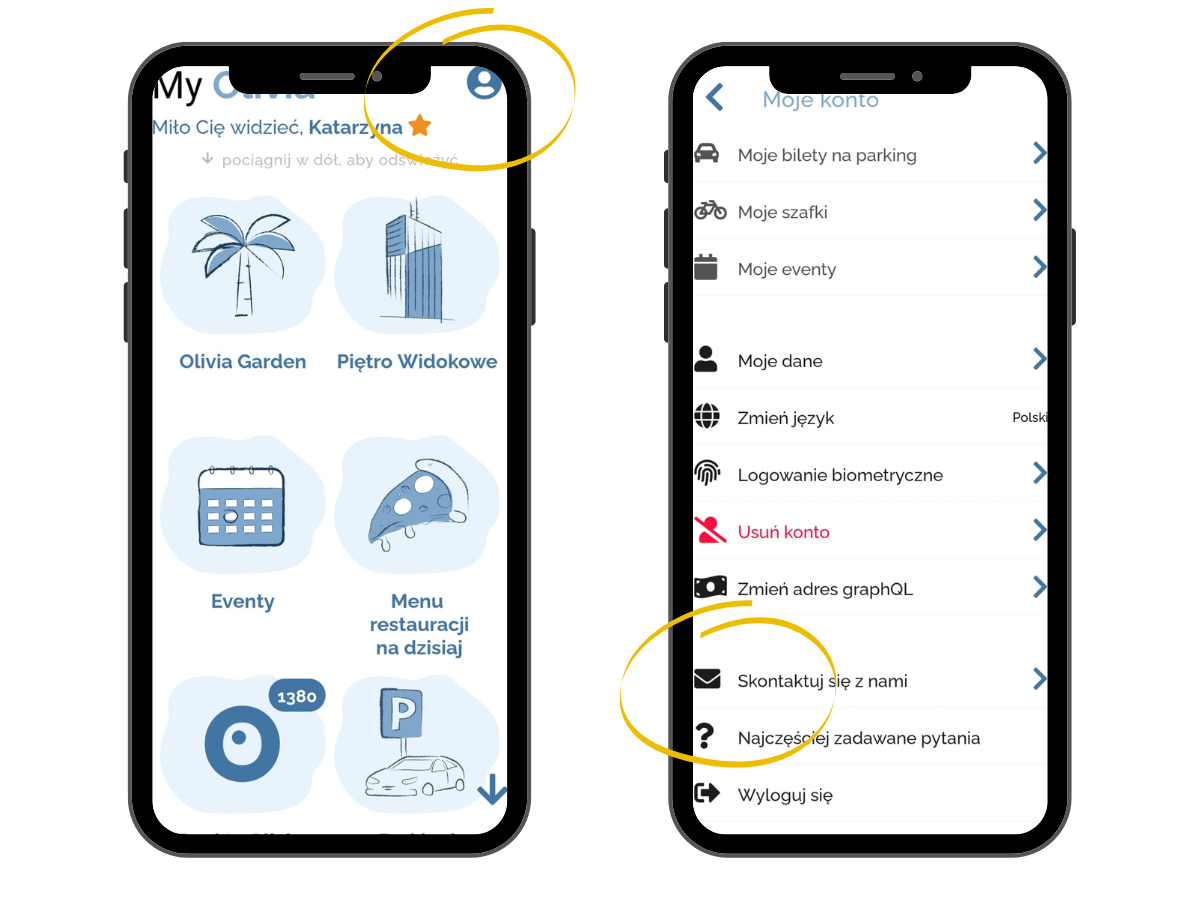
The “Contact us” option in the MyOlivia app
Self-activation of Resident status
- Go to the MyOlivia app.
- Then in your user profile, i.e. click on the human icon (upper right corner of the application).
- Select “Activate Resident Status” and follow the guidelines.
- Tick the appropriate box: activate the status when you have an address in the company domain (point 1 in the graphic below) or activate the status when you do not have an address in the company domain or the e-mail address provided during registration is your company address (point 2 in the graphic below).
Remark! When applying for the resident status in case 2 (no address in the company domain…), enter the name of the company and the building in which you work/have an office in the “I work in a company…”
window.
- Resident status should be activated within 3 working days.
- Remember to click on the activation link that will come to your e-mail address.
- If the process of self-activation of the Resident status fails, write to: aplikacja@oliviacentre.com
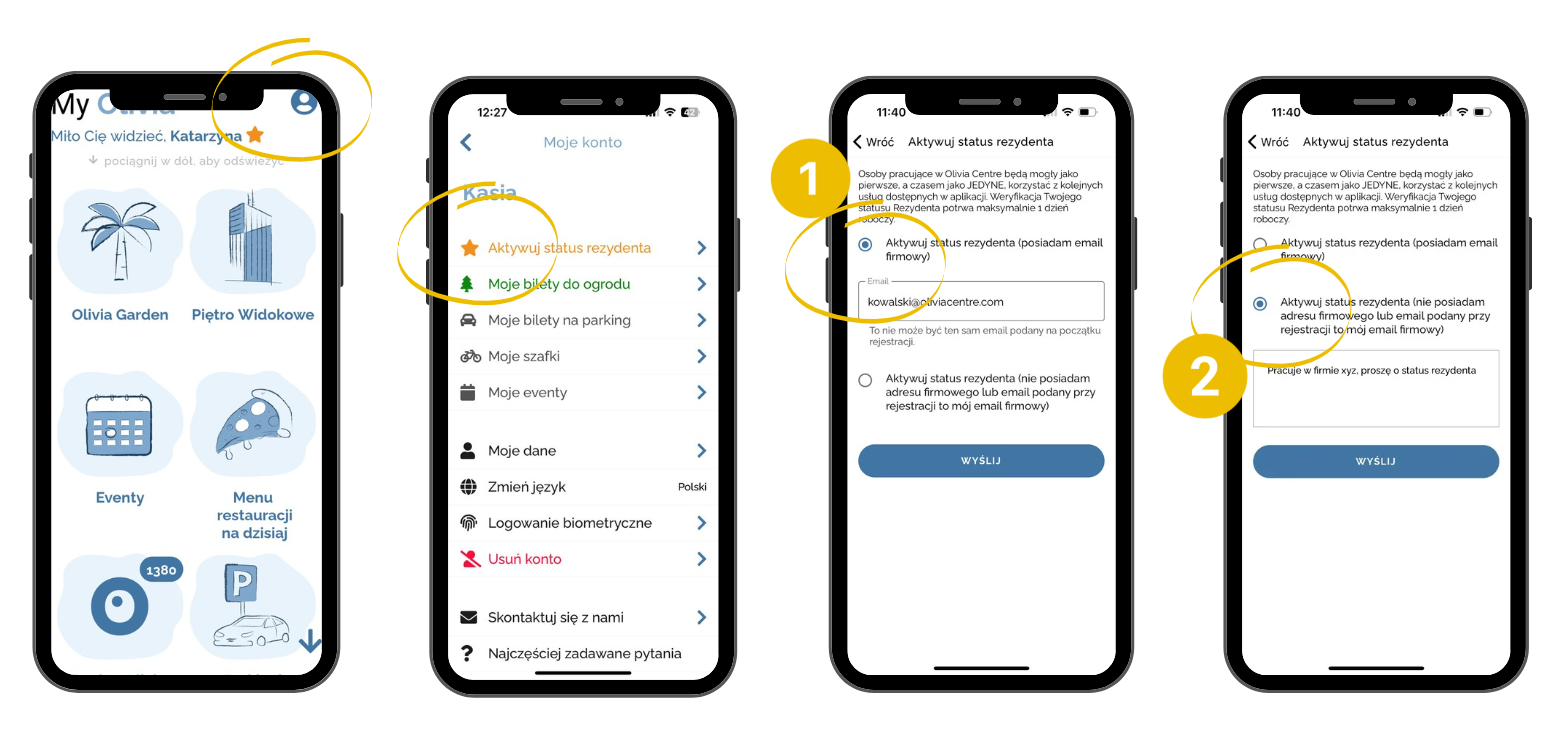
Self-activation of Resident status
MyOlivia app: parking lots and Olivka points
MyOlivia App: discover its features
MyOlivia app: Resident status
Enjoy!